SiteSafe HammerTime brings site compliance, arrival forms, subcontractor compliance, SSSP safety plans, health and safety reporting, and payroll-ready timekeeping into one platform for NZ construction. These are the features crews and managers use every day on active sites.
Unlimited users for site safety. Everyone can check in, complete arrival forms, report hazards, and join roll call — you only pay per worker if you also want GPS timekeeping.
Up to 20 active sites every month. No per-project fees. Run compliance across your portfolio without stacking site-by-site charges.
Contractor prequalification built in. Subcontractor compliance, insurance, SiteWise, and SSSP tracking are included — not a premium add-on.
One app on site
Workers scan a QR code or follow a deep link and land straight in the right workflow — no menu diving on a busy site.
QR and deep-link access
Scan a site QR code or open a deep link and go straight to check-in, arrival forms, or timekeeping for that project.
Offline-first
Clock, journal, and uploads queue when signal drops and sync automatically on reconnect — no lost records in dead zones.
SiteSafe mobile app
Mobile-first worker experience on the SiteSafe app — iOS-first with full Android support for mixed crews.
Site compliance and arrival forms
A compliance state engine decides what blocks site entry, so supervisors spend less time chasing paperwork at the gate.
Check-in and compliance engine
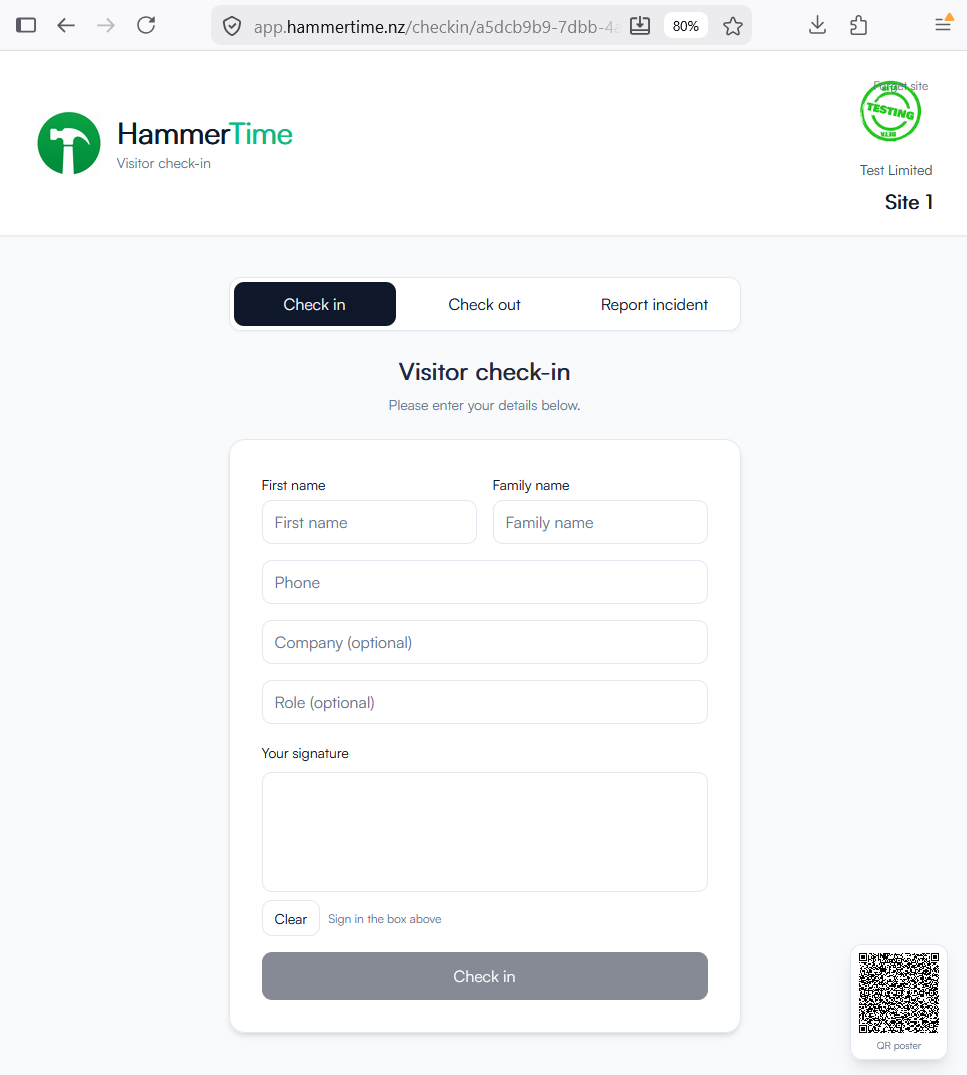
Digital site check-in and check-out for workers and visitors
Compliance state engine decides what blocks entry via nextAction and pending forms
Arrival forms — compliance forms required on arrival, completed after check-in
Toolbox talks can gate check-in until signed
Flexible site rules
Paper fallback: photo upload plus manual approval where configured
Permit-to-work allowlist and site credential requirements
Helps you demonstrate compliance with a defensible audit trail
Know who’s on site
See who is on site now — workers, visitors, and contractors — with arrival-form status visible at a glance.
Live visibility
Live on-site roster with arrival-form status for every person
Check-in history by day — who arrived, when, and how they left
Emergency roll call: frozen roster snapshot at roll-call start, mark safe, notify unconfirmed by push and SMS
Visitor kiosk and guest mobile access — no account needed
Guest check-in
Visitors and delivery drivers check in from a kiosk or their phone without downloading an app or creating an account.
Safety plans (SSSP)
Create a site-specific safety plan in minutes, then reuse it as a company template across your portfolio.
SSSP wizard
Build a site-specific safety plan step by step — or upload an existing PDF if you already have one signed off.
Company templates
Publish a safety plan once as a reusable company template and deploy it across new sites in minutes.
Version history
Draft to publish with full version history and worker or manager acknowledgements on each published version.
NZ and AU compliance packs
NZ SiteSafe-style safety plan structure built into the wizard
AU WHS and SWMS compliance packs for cross-border projects
PDF upload path as an alternative to the wizard when you already have a signed plan
Acknowledgement records help demonstrate compliance during audits
Hazards and incidents
Capture hazards and incidents from the field with photos, severity, and a clear path to resolution for managers.
Hazard reporting
Hazard reporting with photo evidence and severity rating
Site hazard register and hazardous substance register
Manager resolve and comment workflow with full history
Incident reporting
Structured incident wizard for consistent records
Prefill from worker-submitted reports to save re-entry
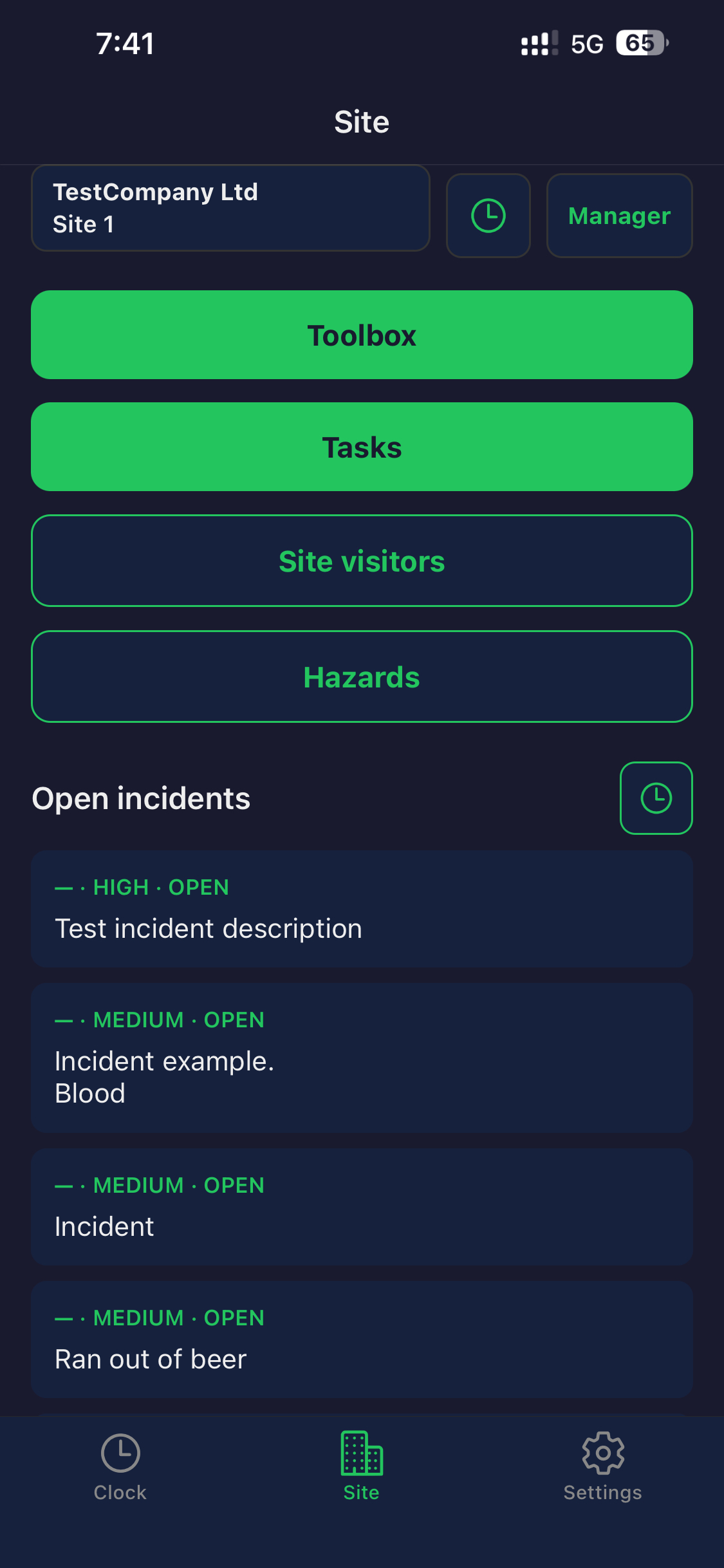
Open incidents surface on the H&S dashboard for follow-up
Subcontractor compliance
Track every subcontractor’s link status, insurance, SiteWise certification, and SSSP from one company-wide dashboard — with automated chase reminders so nothing slips through.
Compliance dashboard
Company-wide view of link status, profile completeness, and a requires-attention filter for subcontractors that need action.
Status badges
Not linked, Link pending, Profile incomplete, Ready, Review required, Expiring soon, and Expired — visible at a glance.
Invite and chase
Invite a subcontractor’s own HammerTime company to link, send bulk link invites, and auto-chase on days 3, 7, and 13.
Insurance, SiteWise, and SSSP
Insurance, SiteWise certification, and SSSP tracked per subcontractor
When linked, credentials resolve from the subcontractor’s own HammerTime company
Token-based portal for subcontractors without HammerTime to upload insurance, SiteWise, and SSSP
Accept or decline link requests with full audit history
Time and attendance
GPS-confirmed time records with geofence enforcement — location captured at clock and compliance moments, not continuous surveillance.
Clock in and out
Fast clock in and out with GPS at punch when policy requires
Geofence enforcement and optional auto clock-out on leaving site
Payroll vs task-work split — two independent session types on the same day
Breaks, manual entries, and offline queue with sync on reconnect
Required-document gate blocks clocking until mandatory forms are signed
Human reference codes (P… projects, T… tasks, E… entries) for speakable audit
Check-in verification
Biometric verification is available for site check-ins where configured. Auto check-in always requires worker confirmation every time — it does not use biometric auto-approval.
Records time and feeds your payroll — HammerTime is not a payroll engine. Export payroll-ready time records when you need them.
Field work and tasks
Give crews rich task instructions in the field and give managers one inbox for every open task across all sites.
Rich task instructions
Text and images available offline so crews know exactly what to do on site.
Task journal
Notes and photos from the field notify managers when something needs attention.
Company tasks inbox
Every open and completed task across all sites and projects, with overdue highlighting.
Scheduling and assignment
One-off and recurring task scheduling
Bulk assignment across crews and sites
CSV import and export for large rollouts
People and documents
Invite-driven onboarding with role-based access, certifications, contracts, and secure login for owners and managers.
Onboarding and access
Invite-driven onboarding with role-based access — owner, manager, worker, subcontractor
Certifications and licences with expiry status visible before audits
Employment records and contracts with in-app signing
Security and compliance
Required company PDF signing blocks clocking until signed
Email login with SMS multi-factor authentication for owners, managers, and admins
Tamper-evident audit trail on document and access events
Equipment and fleet
Track vehicles and plant with prestart checks, maintenance logs, and incident records from mobile.
Asset register
Vehicles and plant with meter or odometer readings and asset tags.
Prestart checks
Mobile prestart checks with NZ and AU templates before plant goes to work.
Maintenance logs
Usage, maintenance, and incident logs with photos for a complete asset history.
Manager visibility
One H&S dashboard for people on site, open hazards, overdue tasks, and everything that needs attention today.
H&S dashboard
People on site, check-ins, open hazards and incidents, toolbox talks, and overdue tasks
Needs attention surface with deep links — open incidents, expiring credentials, overdue tasks, pending form sign-offs, subcontractor compliance
Manager inbox, notifications, and tamper-evident audit trail
Mobile manager view
Site managers see live roster, compliance status, and needs-attention items from their phone on site.
Optional finance
Capture field expenses and manage suppliers when finance features are enabled for your company.
Field expenses
Field expense capture with receipt photo and GST-aware amount
Available when finance features are enabled for your organisation
Suppliers and payables
Supplier register and payables tracking
Keeps purchase records alongside site and workforce data
Ready to see these features on your sites?
Get started with site compliance, subcontractor compliance, and SSSP — or add GPS timekeeping per worker when you need it.